Getting a number
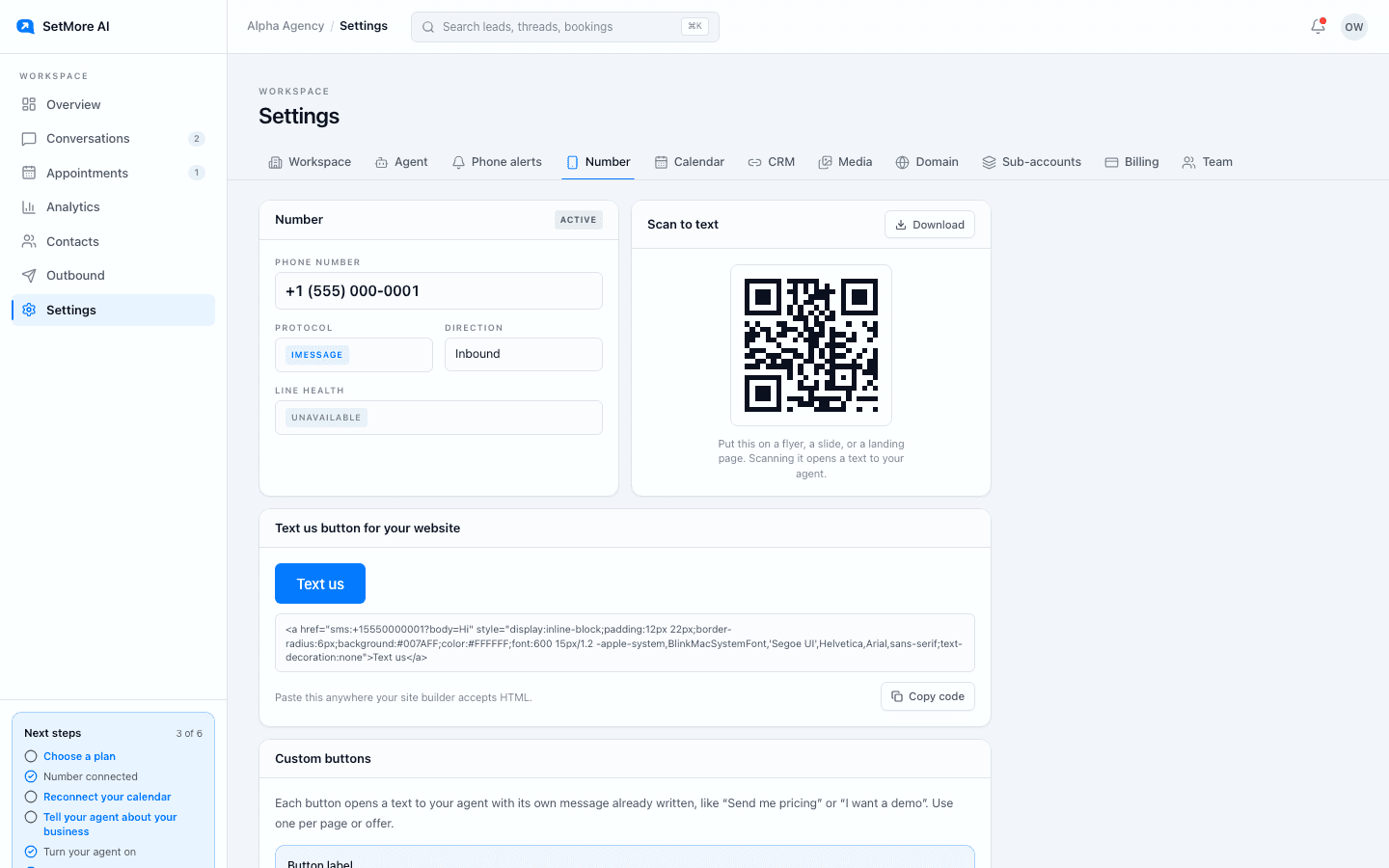
Each workspace gets its own dedicated line. It is not shared and it is not a pool, so leads see one consistent number. You pick an in-stock area code in the wizard or under Settings, Number, and press Get my number. Provisioning takes a few minutes. Done looks like the number showing as active with iMessage active in the bottom left of the portal.
A line is a real purchase, so two things must be true first: you are an owner or admin, and the workspace is on an active paid plan. If a purchase goes through but something fails right after, we tell you the purchase happened. We never say nothing was charged when something was.
Sending leads to it
Two things on the Number tab put your number in front of people. Scan to text is a QR code you can download and put on a flyer, a slide, or a landing page; scanning it opens a text to your setter. The Text us button is a snippet you paste anywhere your site builder accepts HTML; tapping it does the same on a phone.
Line health
Line health shows a risk score for your number and how many of your recent messages got replies. Most signals are about the last seven days. Keep replies personal and avoid links in first messages and it stays green. The most common cause of a flagged line is texting people who did not opt in; the fix is your lead sources, not a new number.
Phone alerts
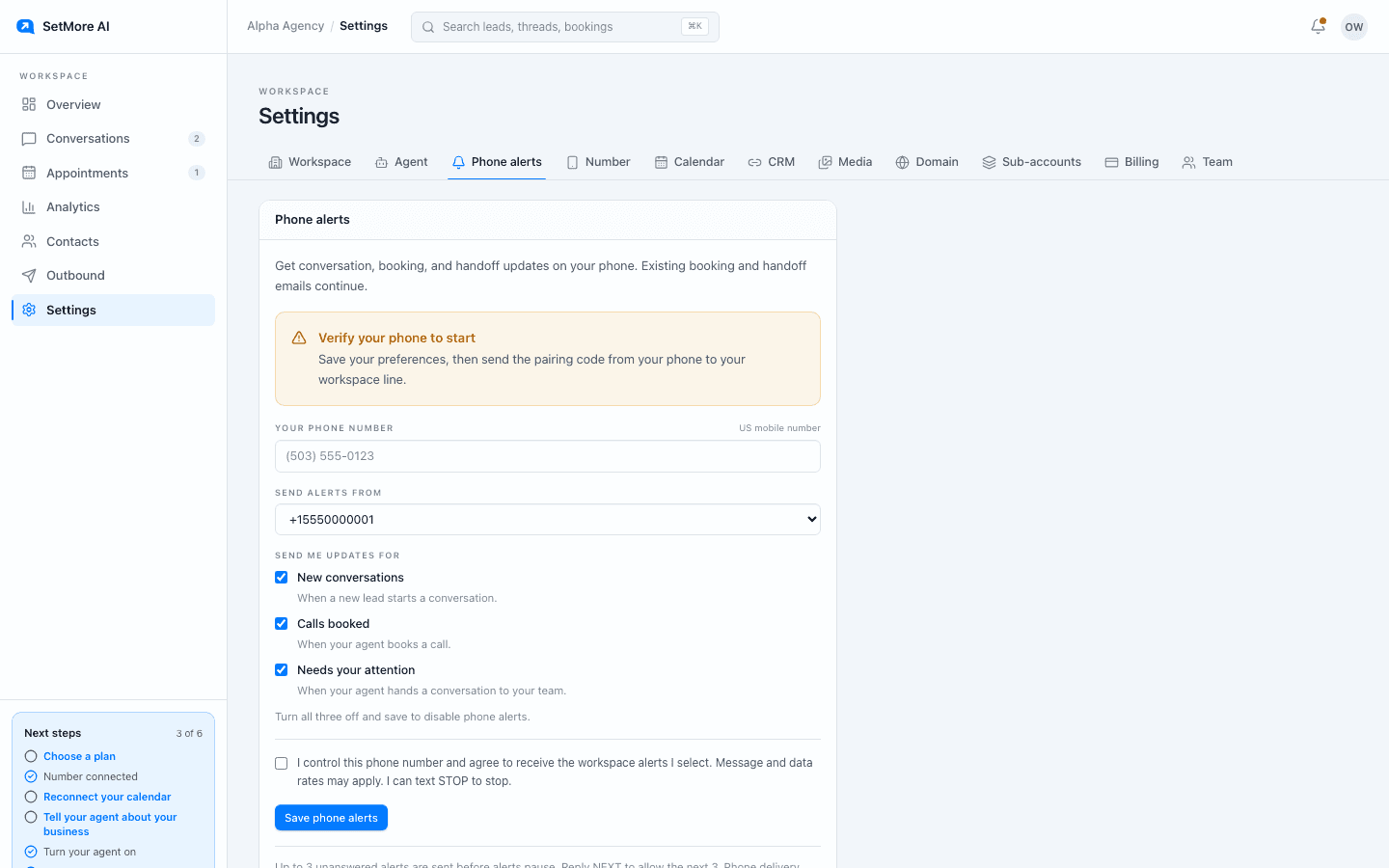
Turn on phone alerts under Settings, Phone alerts, to get conversation, booking and handoff updates as texts on your own phone. You pair your phone by texting the workspace once, and you can pause and resume alerts by reply. Booking and handoff emails continue either way.
Call forwarding
Leads sometimes call the number instead of texting. Call forwarding sends those calls to your own phone. Request it from the Number tab; support confirms when it is active. For a number connected through your CRM, configure call routing in your CRM phone settings instead.
If something looks wrong
Line status is on the Number tab. If a purchase fails, a number is removed, or a line is flagged, the status changes there and says what to do. Every message in both directions is kept exactly as sent; the thread you read is the thread that happened, and a message is never sent twice because of a retry on our side.
Questions people ask
- Can I keep my existing business number?
- On Starter you text from your CRM number, and your agent takes over once the lead replies. On the other plans it runs on a new dedicated line; forward calls from it to your existing phone.
- Can I change area code later?
- You can release a line from Settings and get a new one. Leads who texted the old number will not reach the new one, so do this before you print anything.