The inbox
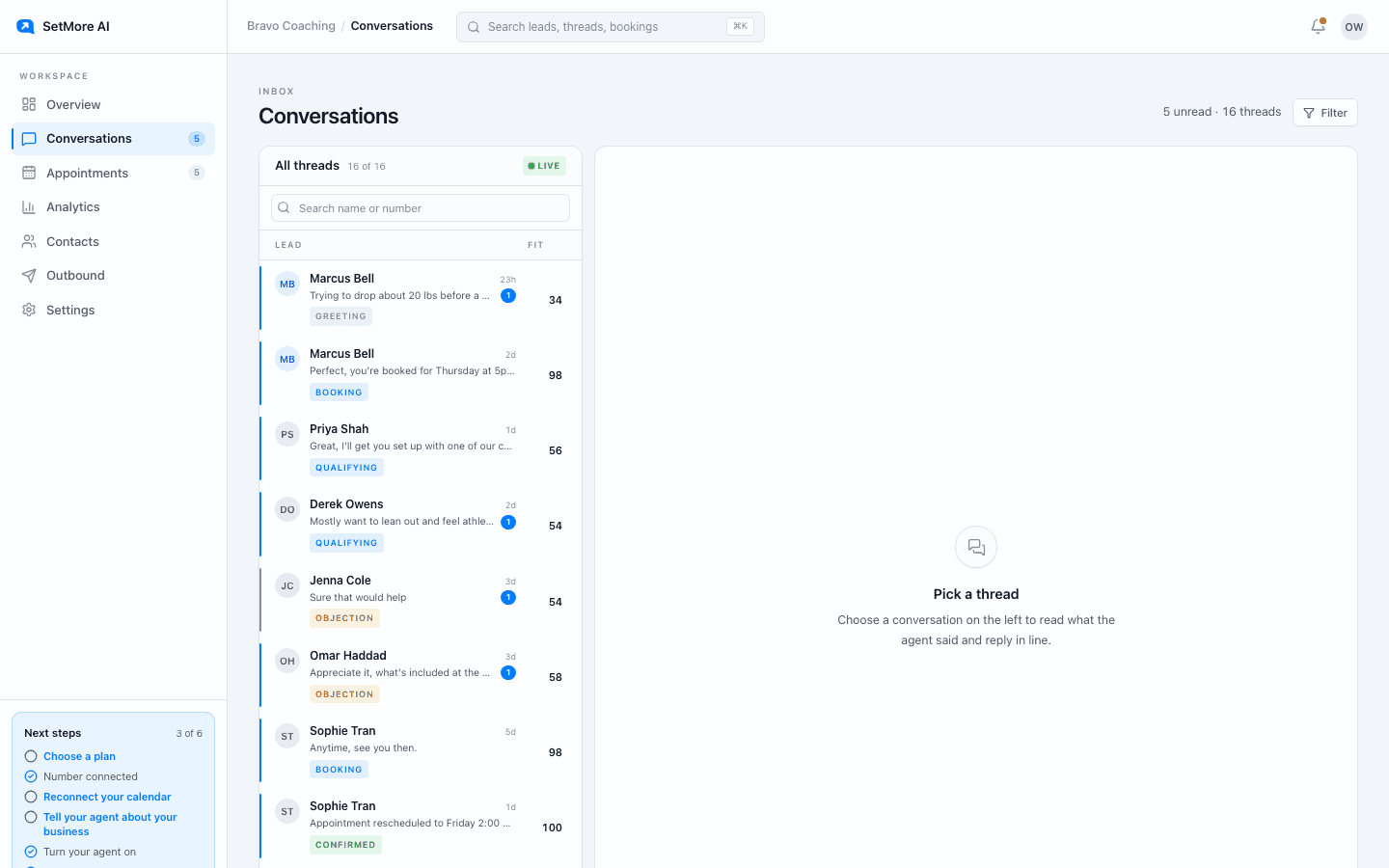
Conversations is the screen you will have open most. Every thread the setter is running is listed, newest activity first, with unread threads marked and a status badge: Follow up when the setter is waiting on the lead, Booking while times are being agreed, Confirmed once a call is on the calendar. The number on the right is the lead's fit score out of 100, from your qualification questions.
Reading a thread
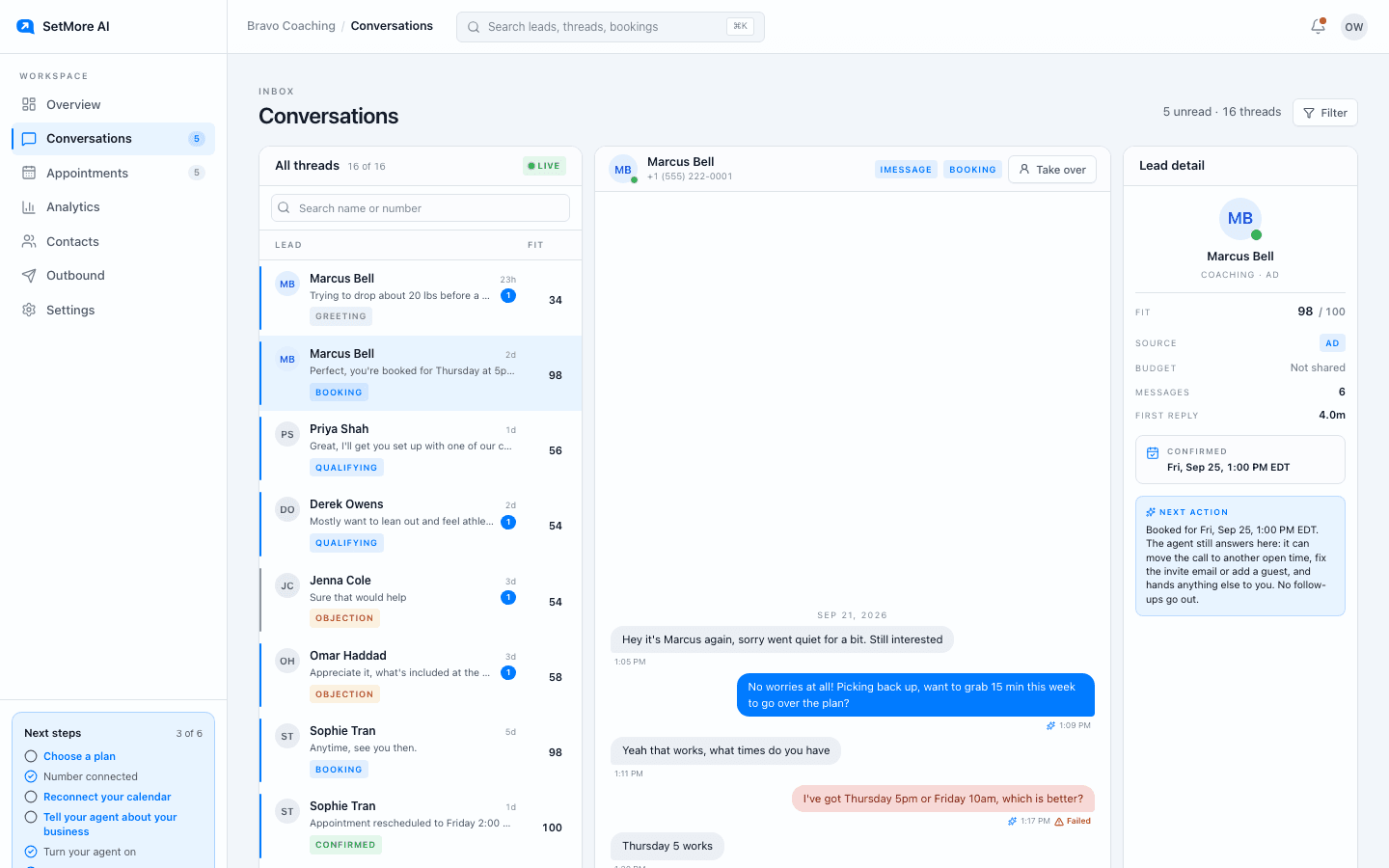
Open one and you see the full exchange in order, exactly as the lead saw it. The lead detail panel on the right shows the fit score, where they came from, how many messages have gone back and forth, how fast the first reply was, and what the setter plans to do next, including any scheduled follow-up.
Taking over
Press Take over on any thread. From that moment the setter stops sending in that conversation and every message is yours to write in the reply box. Every other conversation carries on untouched. Take over when a lead asks something only you can answer, when the deal is worth handling personally, or when the tone has gone somewhere you would rather steer.
Handing back
When you are done, hand the conversation back and the setter picks up with full knowledge of everything you said. It does not restart, re-introduce itself, or repeat a question you already answered. This is the normal rhythm: the setter runs the volume, you drop into the handful that matter.
Finding a thread fast
Search in the thread list by name or number. The search in the top bar reaches across the whole product, so you can jump to a person, a booking or a screen without going back to a list first.
Questions people ask
- Does the setter keep texting after I take over?
- No. Take over stops it in that thread immediately. It stays stopped until you hand the thread back.
- What does the fit score mean?
- How well the lead's answers match your qualification questions, out of 100. It is a sorting aid, not a verdict.