Step by step
Make sure your number is active
Open Settings, Number in SetMore AI. The status should say Active. That is the number you are about to put on Google. This page is for a dedicated SetMore AI number (Business Owner, Outbound or Agency). On Starter, your agent only takes over a CRM conversation after you send the first message yourself, so a new Google Business Profile text will sit unanswered until you reply to it in your CRM.
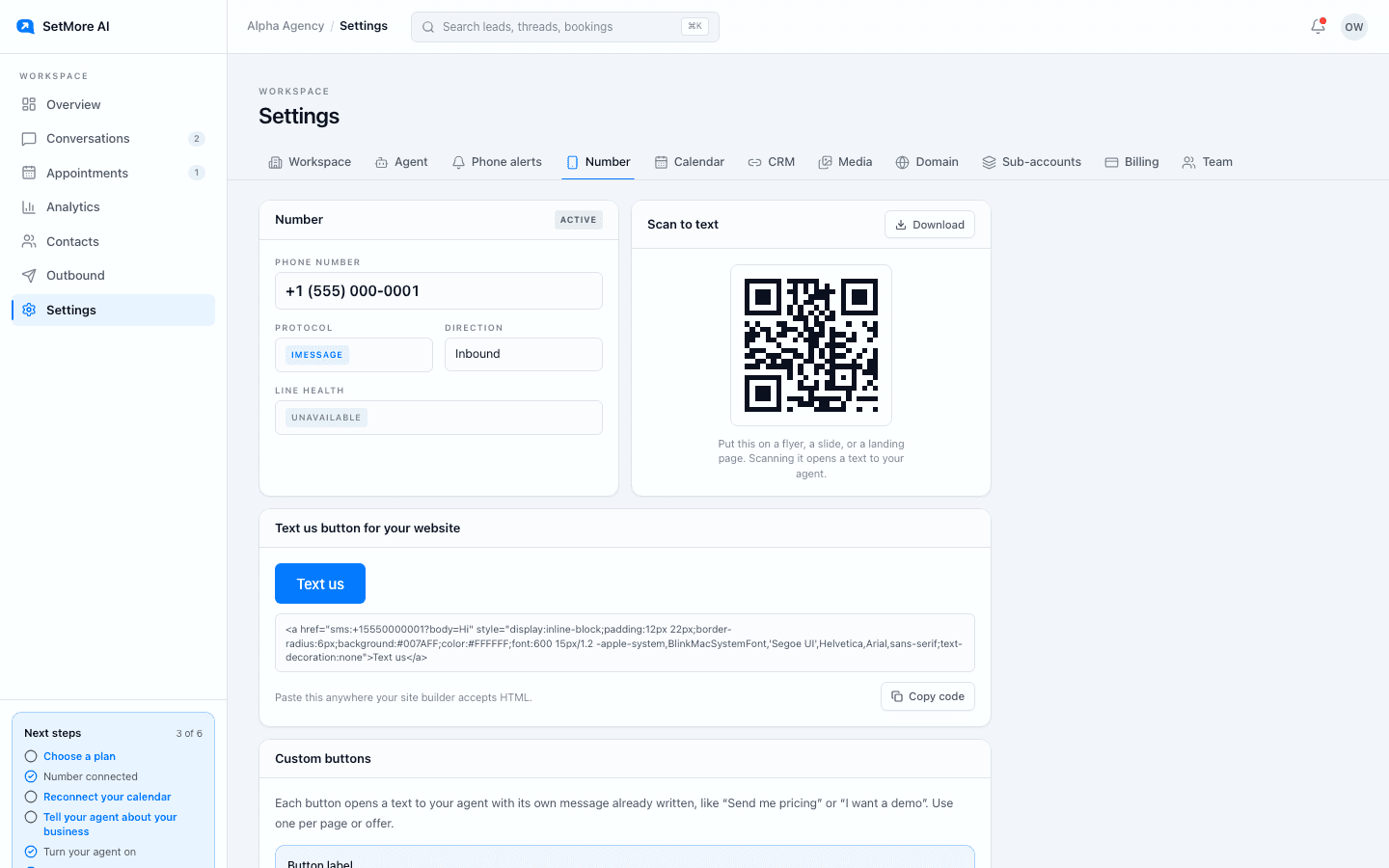
Settings, Number. Copy the number from here. Open your profile's contact settings
Signed in to the Google account that manages your Business Profile, open the profile, press Edit profile, and go to the Contact tab.
Add a texting option under Chat
Find Chat and add a texting option: choose Text messaging and enter your SetMore AI number. Press Save. Google is still rolling this out, so if your profile has no Chat option yet, use the fallbacks below.
Leave your call number alone
The Call button on your profile dials your primary phone. Keep that as the number you answer calls on. The texting option is what sends people to the setter.
Test it from your phone
Search for your business on your phone, find the texting button on your profile, and send a message. The setter replies within seconds, and the thread shows up in Conversations.
Why it is worth five minutes
People searching for a local business on their phone often want to ask one thing before they commit: the price, the soonest time, whether you cover their area. A text gets that answered without a phone call. The setter replies at any hour, asks the one question it needs, offers two times, and books the call. When the lead needs something only a person can answer, it hands the thread to your team.
If your profile has no texting option yet
Google has not turned the texting option on for every profile. Until yours has it, put the number where profile visitors read.
- Business description: one line near the top, if Google accepts it, such as: Text us at (your number) for a fast answer, day or night.
- Website: make sure the page your profile links to carries the Text us button.
- Booking link: Google only accepts a web address here, so point it at a page on your site that carries the Text us button.
Questions people ask
- Should my SetMore AI number be the primary phone on Google?
- Usually not. The Call button dials the primary phone, and your SetMore AI number is built for texts. Put it in the texting option and keep your primary phone for calls. If callers do reach it, call forwarding sends those calls to your phone: request it on the Number tab, or set call routing in your CRM on the Starter plan.
- What happened to the old chat button on Google?
- Google retired Business Profile chat in July 2024. It now says eligible profiles can offer text messaging or WhatsApp, and the texting option is the one that works with your SetMore AI number.