What happens at 11pm
A lead texts your number after you have gone home. The setter replies within seconds, asks the one thing it needs, and offers two times from your open hours. If the lead picks one, the call is booked and on your calendar before you wake up, and the lead gets an invite once they share their email.
Replies are never held for the morning. A reply to someone who just wrote is the whole point, so the setter answers at any hour.
What waits for daytime
Anything the setter starts on its own waits for a sensible hour.
- Follow-ups to a lead who went quiet go out only between 8am and 8pm, in both the lead's time zone and yours.
- Campaign first messages go out only between 8am and 8pm in each lead's own time zone.
- Booked times always come from your open hours, so a lead texting at midnight is offered tomorrow's times, not midnight. If bookings run on your CRM calendar, its own hours decide instead.
The three settings that decide it
Set these once and nights and weekends take care of themselves. If bookings run on your CRM calendar, its hours replace the first two.
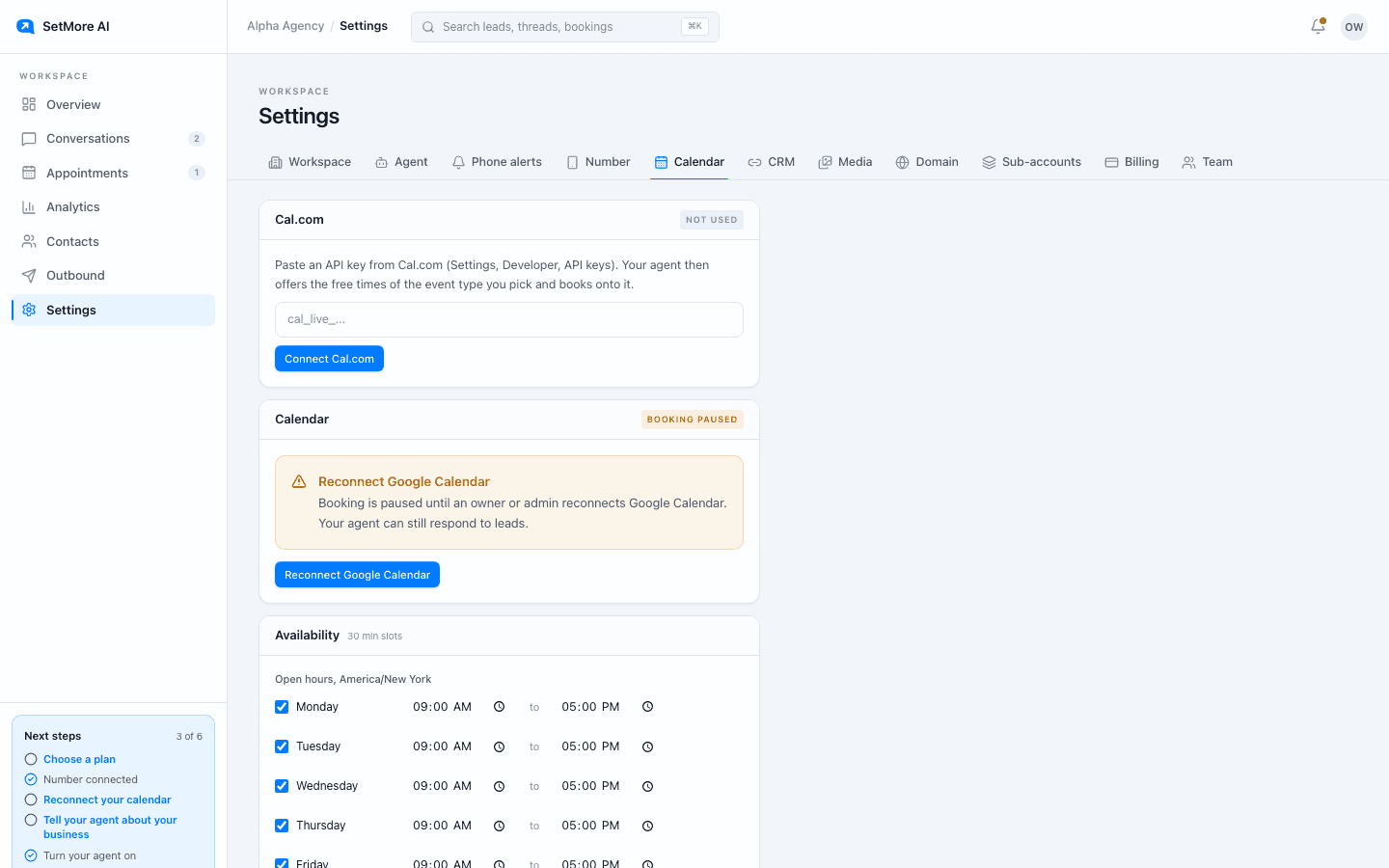
- Open hours, in Settings, Calendar: one open and close time per day, with days off unticked. Weekends are just days you leave closed or open.
- Notice, in the same place: how many hours ahead the earliest time can be. It stops the setter offering 8am to someone texting at 7:30am.
- Phone alerts, in Settings, Phone alerts: conversation, booking and handoff updates as texts on your own phone, so you see overnight bookings first thing. Phone alerts need a SetMore AI number, so the Starter plan does not have them.
Holidays and days away
Open hours repeat every week, so there is no separate holiday list. With Google Calendar connected, add an all-day event set to Busy and the setter will not offer that day. Without it, untick the day in your open hours; that closes every one of those weekdays until you tick it again, so switch it back after the holiday.
When your team is on a job or in session
Daytime has its own after-hours: the stretch when everyone is driving, treating, coaching or on a roof. The setter covers it the same way. Leads who need a person get handed to your team, and the Needs you panel on the Dashboard shows those threads when you are back.
Questions people ask
- Will the setter text a lead at 2am?
- Only to answer them. If a lead writes at 2am, it replies. It never starts a conversation or sends a follow-up outside 8am to 8pm.
- Can it book a call for tonight?
- Only if tonight is inside your open hours and past your notice setting, or open on your CRM calendar if bookings run there. The setter never offers a time outside those hours.